
Create and edit a deck
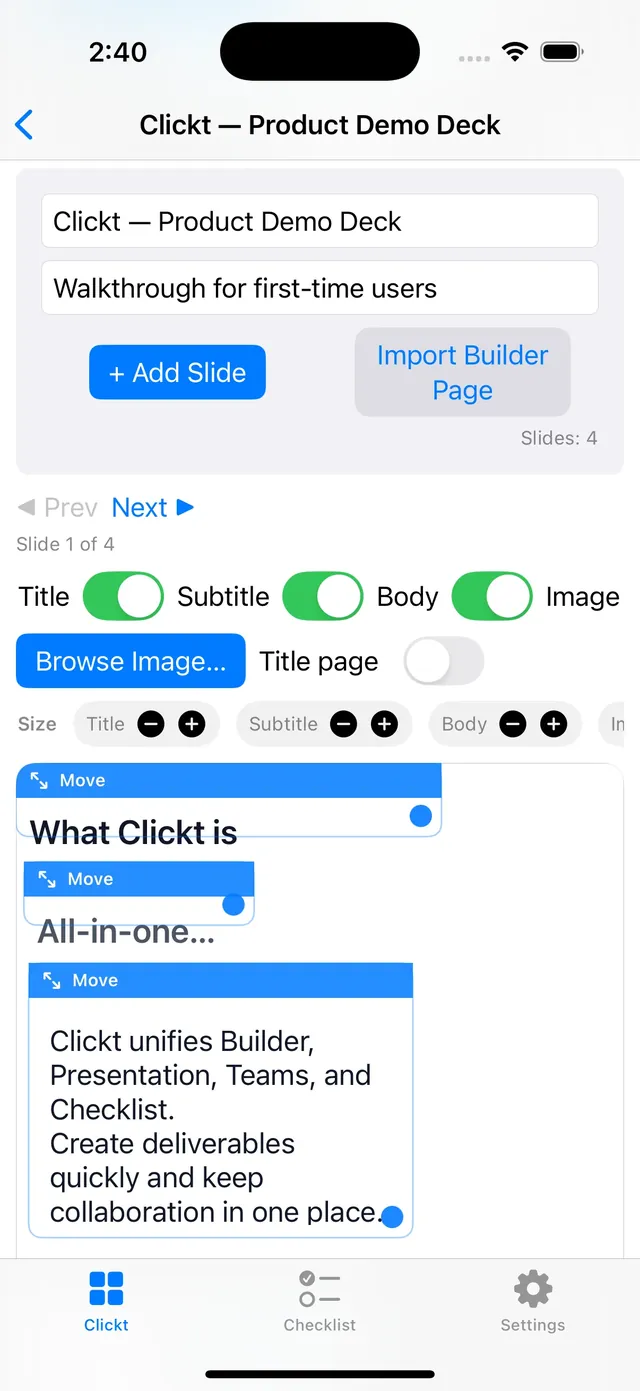
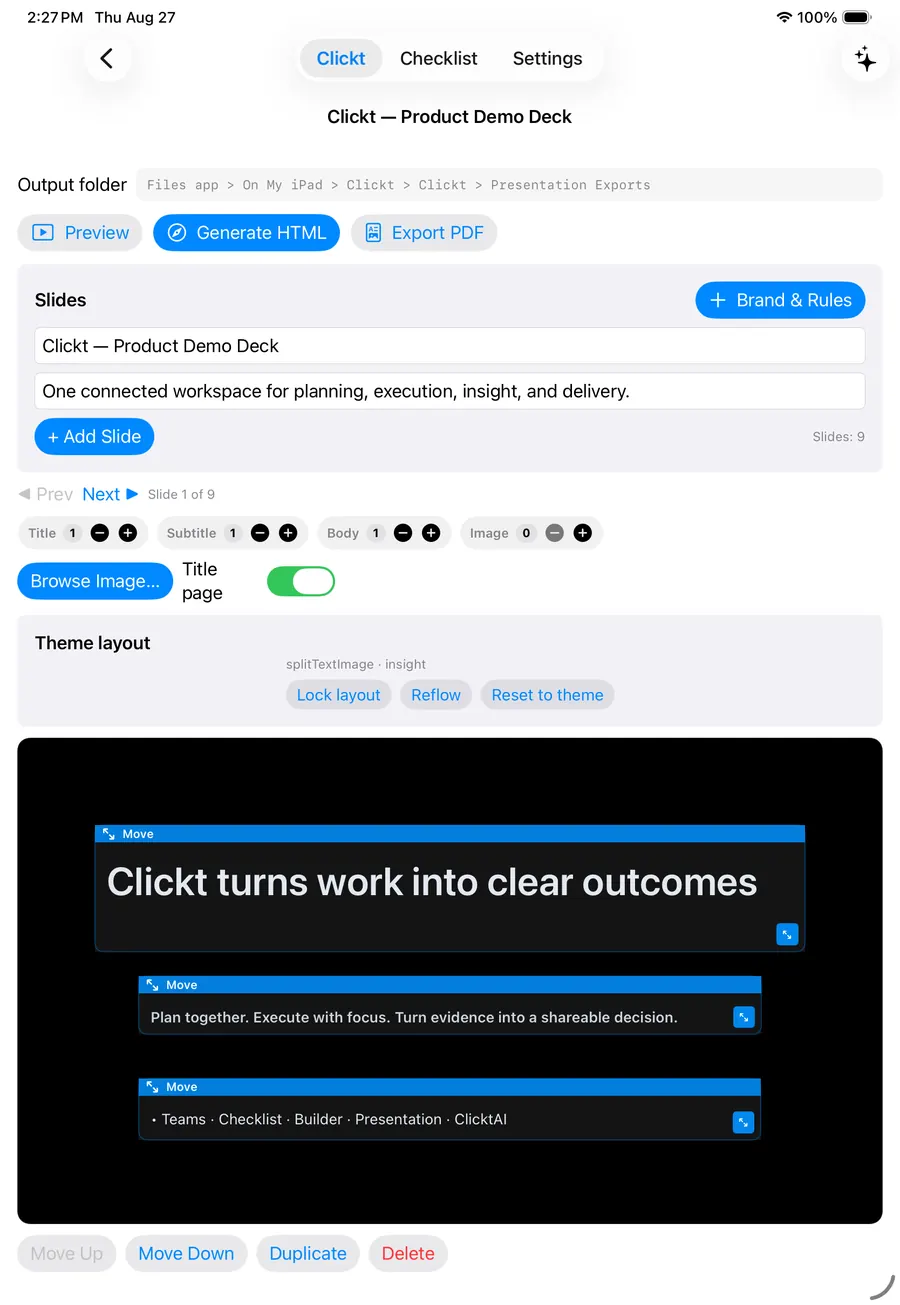
Start a deck, add or edit slides, and work on a visual canvas with text, images, and layout controls.
Presentation turns work, evidence, and ideas into an editable deck with a visual canvas—ready to preview, refine, and share in the format the moment calls for.
Pick a designed theme and every slide follows. Clickt ships 23 built-in themes, plus designed families such as Spotlight, Guided Story and Editorial.
Present, or export to PDF or HTML
Presentation gives a team one place to assemble the narrative around an update, edit it visually, preview what people will see, and produce a shareable output.
Start a deck, add or edit slides, and work on a visual canvas with text, images, and layout controls.
Choose from 23 built-in themes across business, data, creative, education, product, and marketing styles to give the work a coherent visual treatment.
Review the presentation in a matching preview so the story can be checked before it is exported or shown.
Export the current deck as an interactive HTML deck or PDF, and bring a Builder canvas into a new or existing deck.
Use the deck as an editable workspace first. The export comes after people can see and review the actual narrative.
Create a presentation for the update, meeting, report, or decision that needs a clear visual story.
Edit the slide canvas with text, images, and layout choices, or bring in a Builder deliverable.
Use the deck preview to check the work in the form people will actually see.
Export an interactive HTML deck or PDF when the story is ready for a meeting, report, or handoff.
A client calls and wants to see something in twenty minutes, or leadership asks for a one-page update on the spot. That usually means scrambling to open a blank deck, hunting for last month’s slides to copy from, and formatting text boxes while the clock runs down.
Start a deck from scratch or from a Builder canvas, pick a theme, and preview it exactly as your audience will see it before you export. Whether you need six slides in five minutes or a detailed deck for tomorrow’s meeting, you are always a few minutes from something presentable—not caught without one.
ClicktAI can help prepare a proposed deck plan and content direction. It is still a proposal: review the suggested structure and content before applying changes to the deck.
Prepare a leadership update from this week’s project work.
Nothing changes in the deck until you review and approve the proposal.
When a Builder canvas becomes part of a presentation, the path from data to a decision-ready update remains visible instead of becoming a disconnected export.
Use the other Clickt modules to give the update clear ownership, a repeatable process, and evidence that can be carried into the deck.
Keep the people, activity, and decisions around the update visible.
Explore Teams ChecklistMake the steps behind an update easy to run and complete.
Explore Checklist BuilderBring a visual Builder deliverable into a new or existing deck.
Explore BuilderPresentation is in Clickt on iPhone, iPad and Mac, with Android in private testing.